
Invoicing software for designers and creative freelancers
Your design work is considered. Your invoices should be just as clear and consistent. Create invoices with your own logo, type choices and layout, while keeping the practical details of billing easy to read.
A branding invoice
| Description | Quantity | Rate | Amount |
|---|---|---|---|
| Brand identity design | 1 | £900 | £900 |
| Website updates | 7 hours | £50 | £350 |
| Social media templates | 1 set | £275 | £275 |
| Photography retouching | 10 hours | £12.50 | £125 |
| Total | £1,650 |
Illustrative example. The real invoice for these lines is shown below.
 12345
An invoice that belongs to your brand
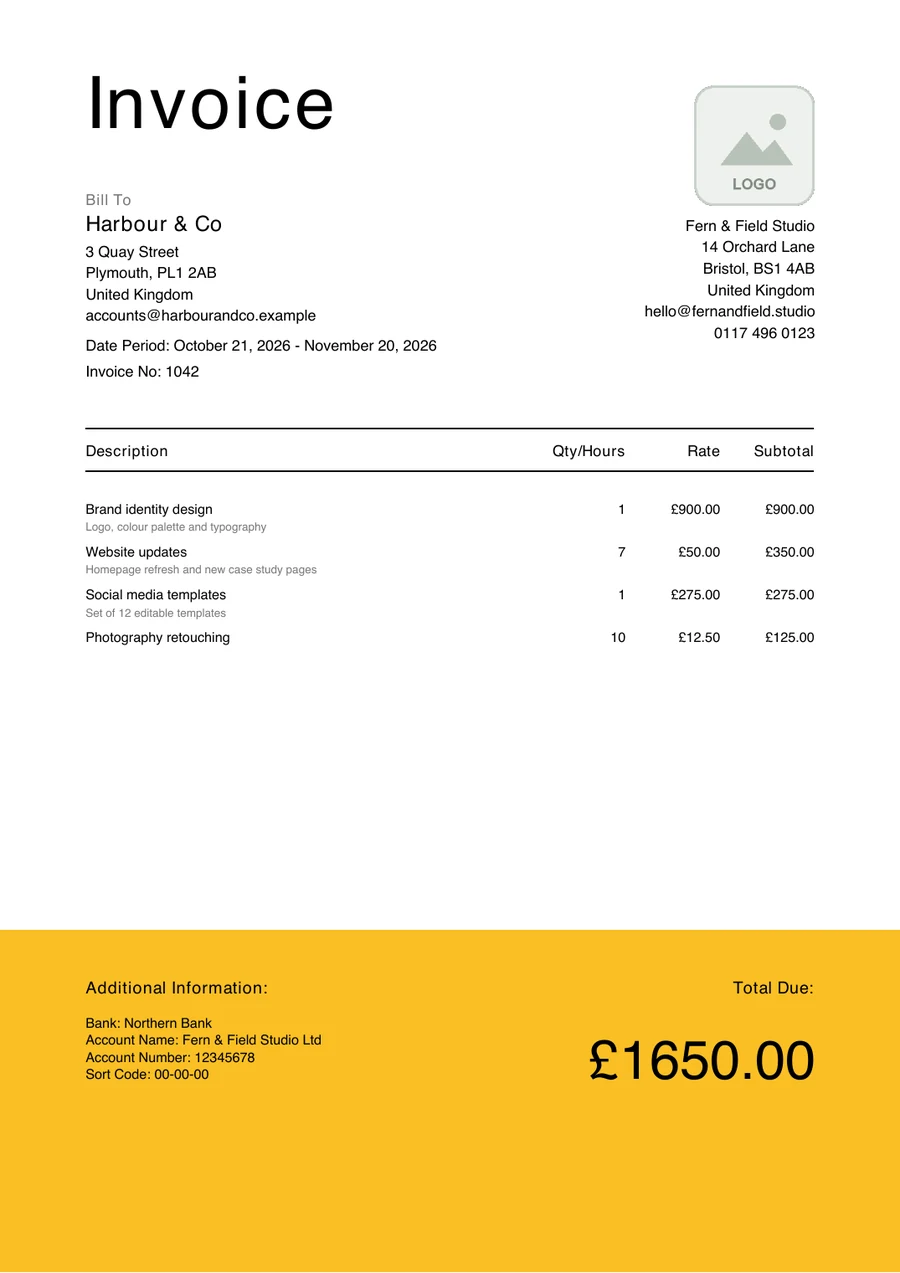
Choose from the three templates or use the visual builder to create a custom layout, with your logo, bank details and footer on every PDF. Keep the important information prominent: invoice number, project description, client details, dates, amount due and payment details.
Distinctive does not need to mean complicated. Here is the Minimalist Bold template with the lines from the example above.
- 1
A confident title. The large heading sets the tone. Type is one of the things you control for each field.
- 2
The client comes first. Who the invoice is for, with their address, sits in its own clear block above the detail.
- 3
Amounts that line up. Quantities, rates and subtotals align to the right, so figures read down a column.
- 4
Bank details. Payment details live in the foot, beside the total, so paying takes a single glance.
- 5
The total due. The amount due is the largest figure on the page, set in the colour band.
Suitable for different creative projects
Branding and identity
Show concept development, final artwork and brand guidelines as separate deliverables where that helps.
Website design
Separate discovery, wireframes, visual design and handover so the client can recognise what they are paying for.
Ongoing creative support
Use hourly or project-based descriptions for campaigns, social assets and other recurring work.
Make line items easier to understand
Group related services under bold section headers, drag items to keep the sequence logical, and use flexible quantity and rate labels for hours, days or units. Totals update as you edit, so you can check them before downloading the PDF.
- Section headers for each project stage
- Drag to reorder
- For larger projects, agree deposits and milestones in advance and show only the amount currently due
A website project, grouped by stage
Discovery and wireframes
- Kick-off workshop
- Wireframes
Visual design
- Homepage design
- Component library
Handover
- Files and guidelines
Illustrative layout: line items grouped under section headers.
Invoicing a design project
- 01
Agree the scope
Settle deliverables, revisions and any deposit before the work starts.
- 02
Group the work
Put line items under the stage they belong to.
- 03
Preview in your brand
Check the type, colour and total in the preview.
- 04
Send and track
Download the PDF, send it, then set the status as it moves.
Keep track, from a browser
Create and manage invoices on your computer, tablet or phone. On a phone or tablet, send or save the PDF from the share sheet, and keep client profiles in one place for future projects.
Mark each invoice Draft, Sent, Paid, Overdue or Cancelled from its page.
Get started without a paid plan
The Free plan includes 5 invoices and 5 proposals a month and 1 business, with every template, the template builder and PDF download included. Premium, with unlimited invoices, proposals and businesses, is coming soon.
Frequently asked questions
Related reading
Can I use the same layout for every client?
Yes. Your template, logo and footer are saved with your business, so every invoice keeps the same look.
Can I show project phases separately?
Yes. Group and reorder line items under section headers, for example by project stage.
Can I send an invoice from my phone?
Yes. Next Invoice works in a mobile browser, and you can send or save the PDF from your device's share sheet.