
Professional invoice templates you can make your own
Your invoice should be easy to recognise, read and pay. Start with a professional layout, then customise the details that matter to your business.
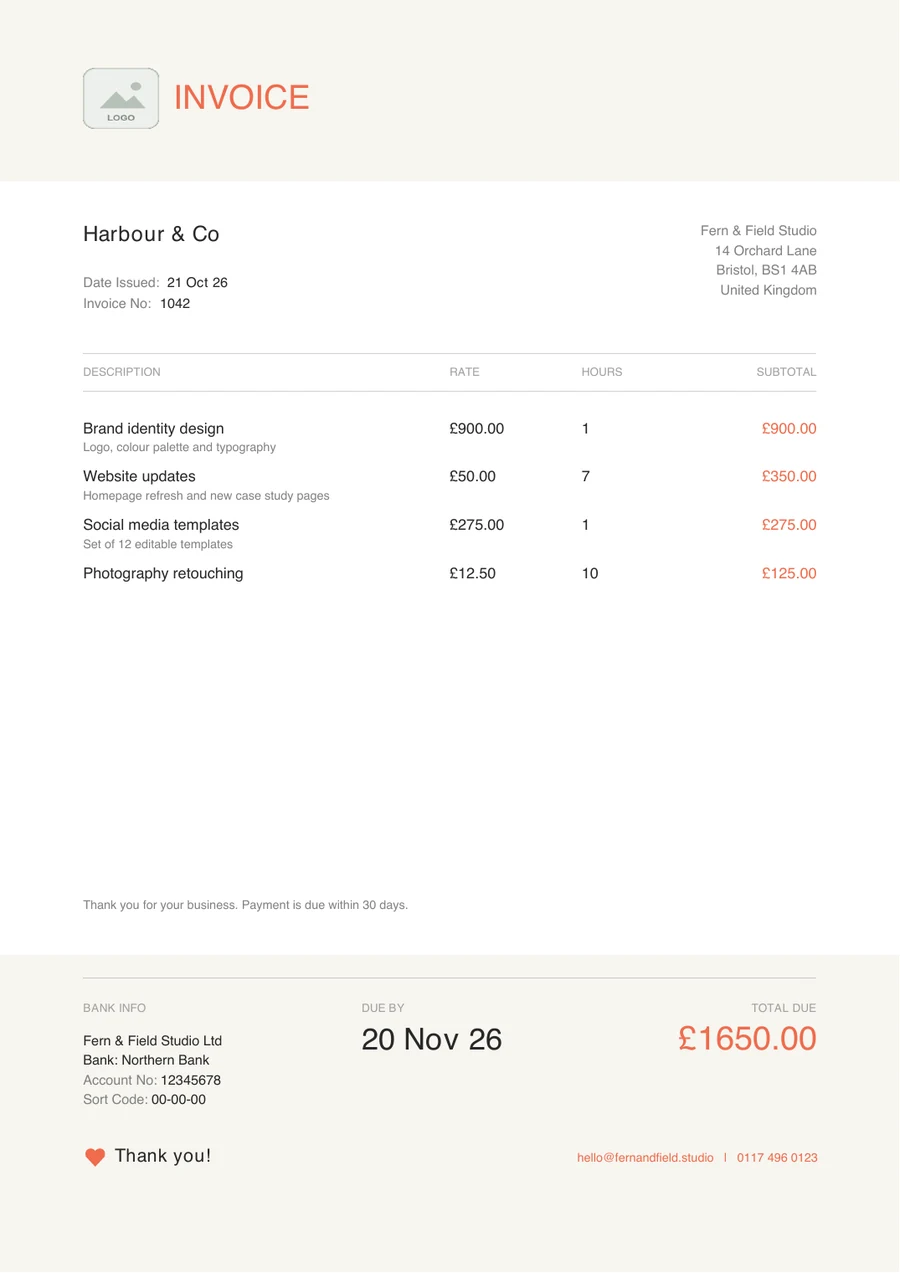
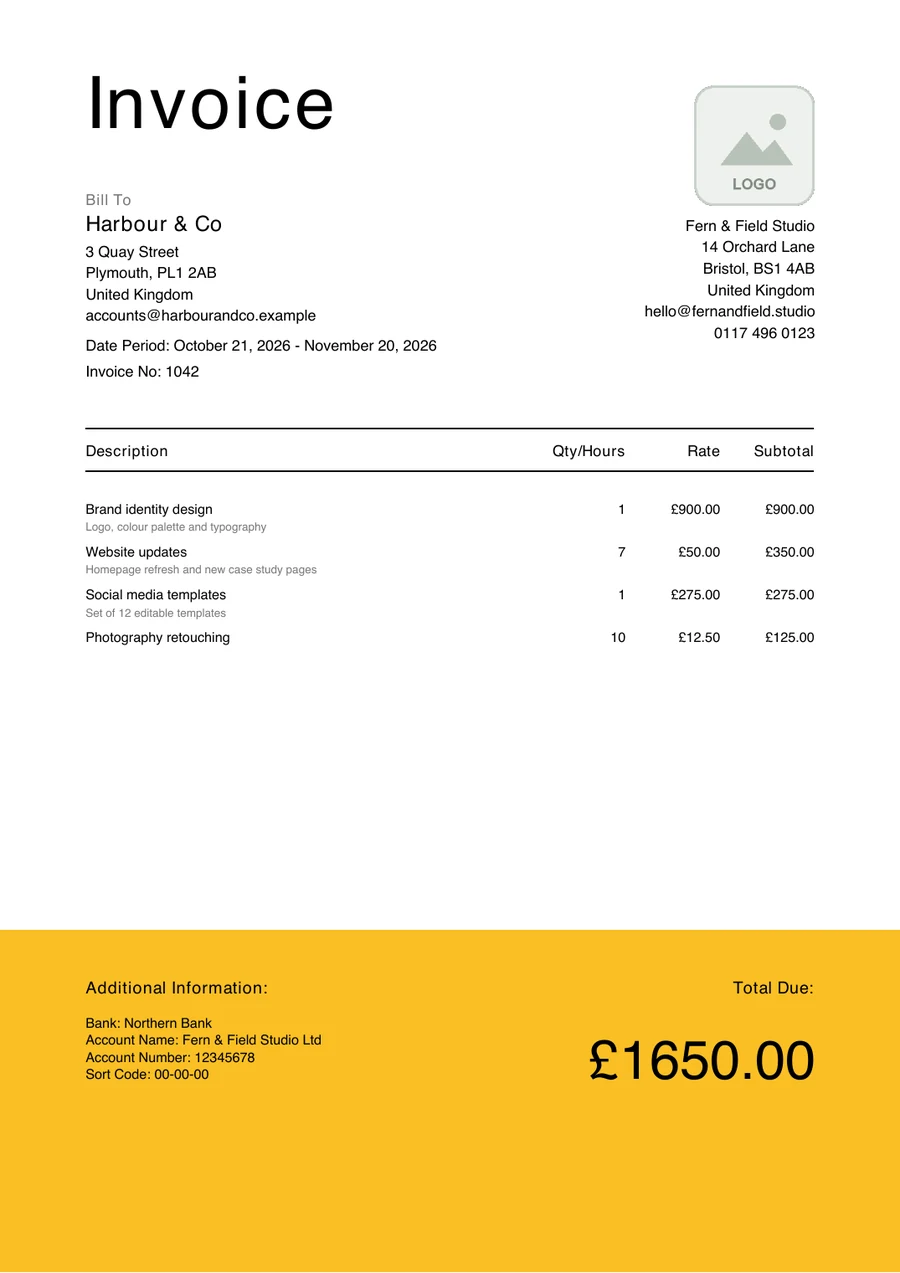
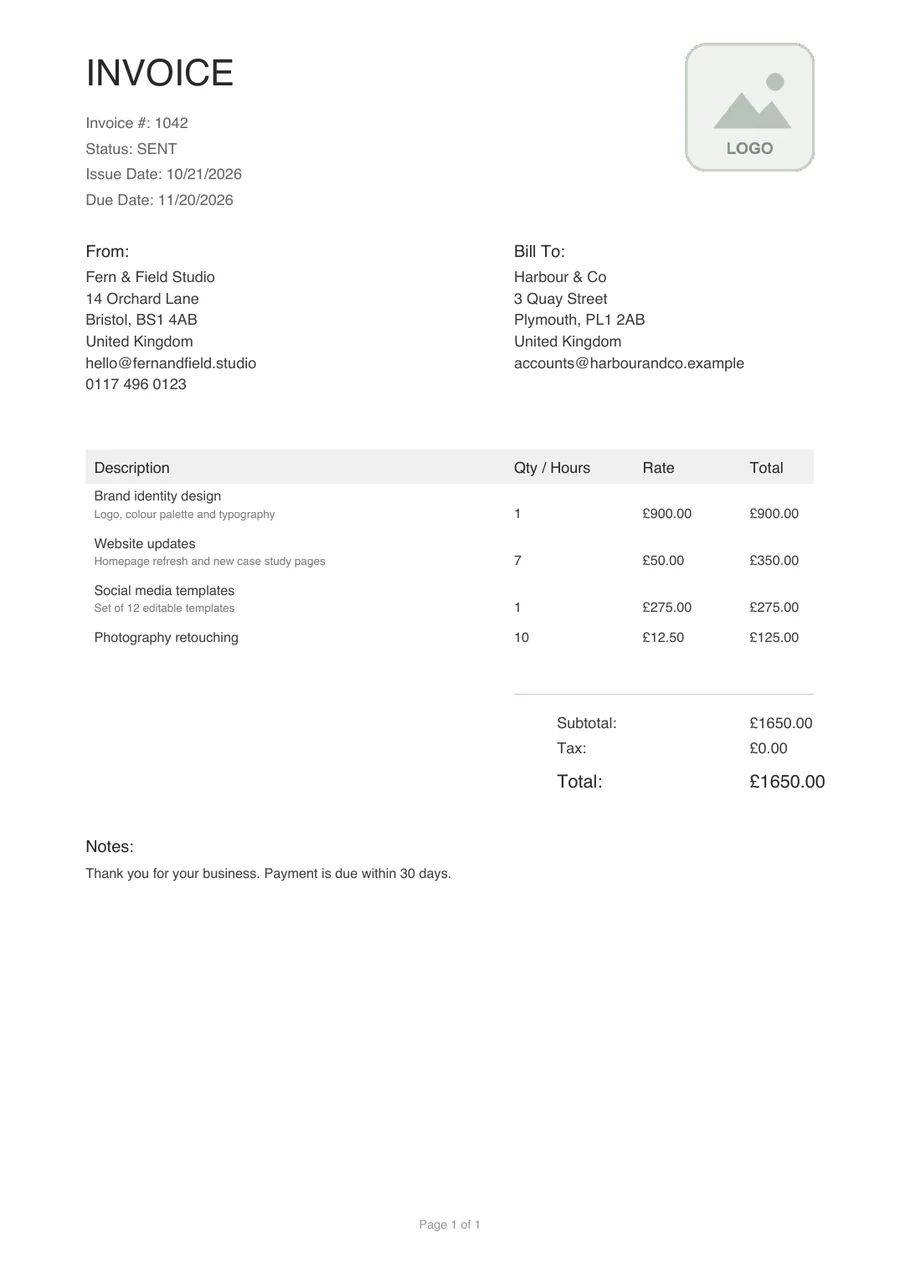
Real invoices exported from the three templates (sample data).
Three templates, each shown as a real invoice
Next Invoice includes three preset templates and a visual builder for creating your own. Each keeps the invoice number, customer information, charges and total clear.
Classic Professional
A traditional layout with From and Bill To blocks, a ruled line-item table and a clear subtotal, tax and total. Perfect for law firms and accountants.
Minimalist Bold
A large heading, plenty of space and a bold colour band at the foot that holds the bank details and the total due. Ideal for designers and agencies.
Modern Coral
A warm header, quiet type and a coral accent, with the due date and total due set clearly in the footer. Great for consultants and tech companies.
These are real invoices exported from Next Invoice, filled with sample data.
Which invoice template should you choose?
Classic Professional
A familiar format for consultancy, law, accountancy and other professional services, where readability matters most.
Minimalist Bold
Clean and contemporary, with a strong colour band at the foot. A good fit for designers, developers and independent studios.
Modern Coral
A warmer layout with a stronger accent, suited to consultants, tech companies and creative businesses.
Customise the invoice, not just the logo
The template builder lets you adjust every field and control each component's position, size and background. Preview how the finished PDF looks before you download it.
Use the layout to help your client find the important information, and avoid decoration that competes with the total due.
- Font family, size and weight, with 50+ fonts to choose from
- Colour, alignment and visibility of any field
- Your logo, bank details and custom footer text
Choosing and using a template
- 01
Pick the closest layout
Start with the preset that suits how your business wants to look.
- 02
Adjust the details
Change fonts, colours and fields in the template builder if you want to.
- 03
Check the required details
Make sure the invoice contains everything a UK invoice must include.
- 04
Reuse it
Clients recognise a consistent invoice, and it saves rebuilding the layout every time.
Try a template for free
The Free plan includes 5 invoices and 5 proposals a month and 1 business, with every template, the template builder and PDF download included. Premium, with unlimited invoices, proposals and businesses, is coming soon.
Frequently asked questions
Related reading
How many invoice templates are there?
There are three preset templates, Classic Professional, Minimalist Bold and Modern Coral, plus the custom template builder for designing your own.
Can I change a preset template?
Yes. Start from a preset, or build your own in the template builder with per-field fonts, colours, alignment and layout.
Are all the templates on the free plan?
Yes. All preset templates and the template builder are included in the Free plan.