
Design an invoice that looks like your business
Invoices are part of your business identity. They do not need to look like a generic spreadsheet. Start from a ready-made layout, or design your own field by field with a live preview.
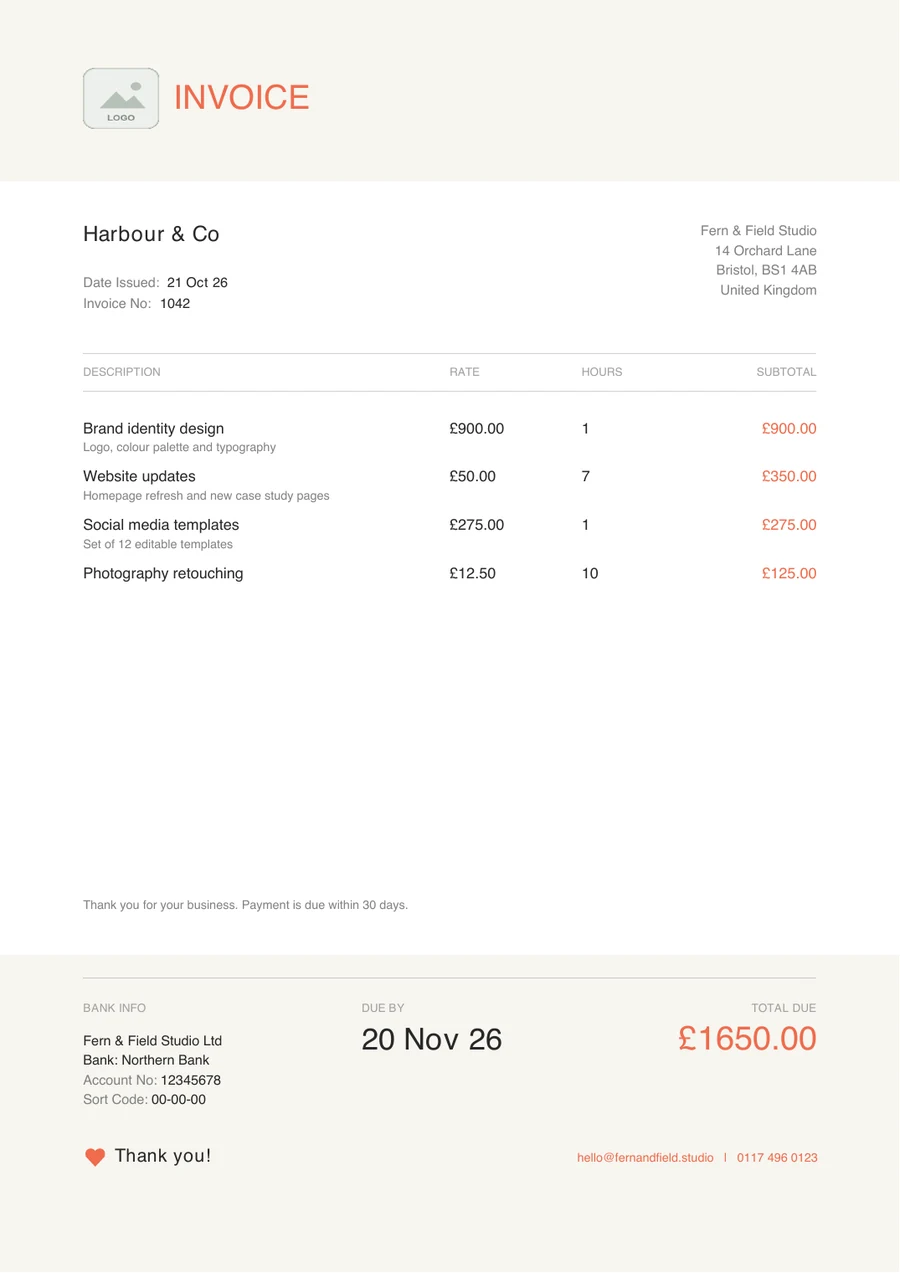
A real Modern Coral invoice exported from Next Invoice (sample data).
Start with a template, or make your own
Choose one of three preset templates, then decide how much to change. If you have a more specific layout in mind, use the custom template builder instead: a visual designer with a live preview.
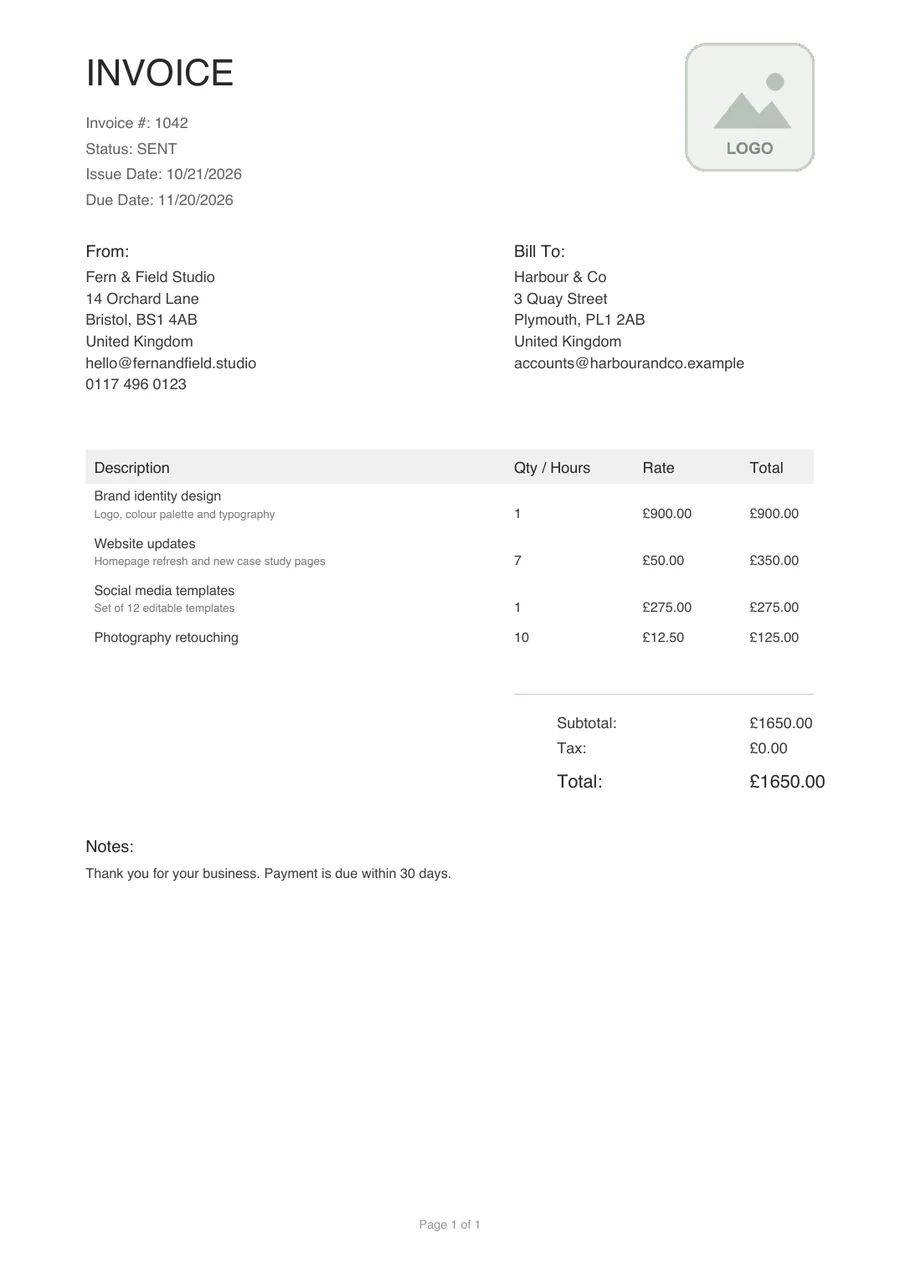
Classic Professional
A traditional layout with From and Bill To blocks, a ruled line-item table and a clear subtotal, tax and total. Perfect for law firms and accountants.
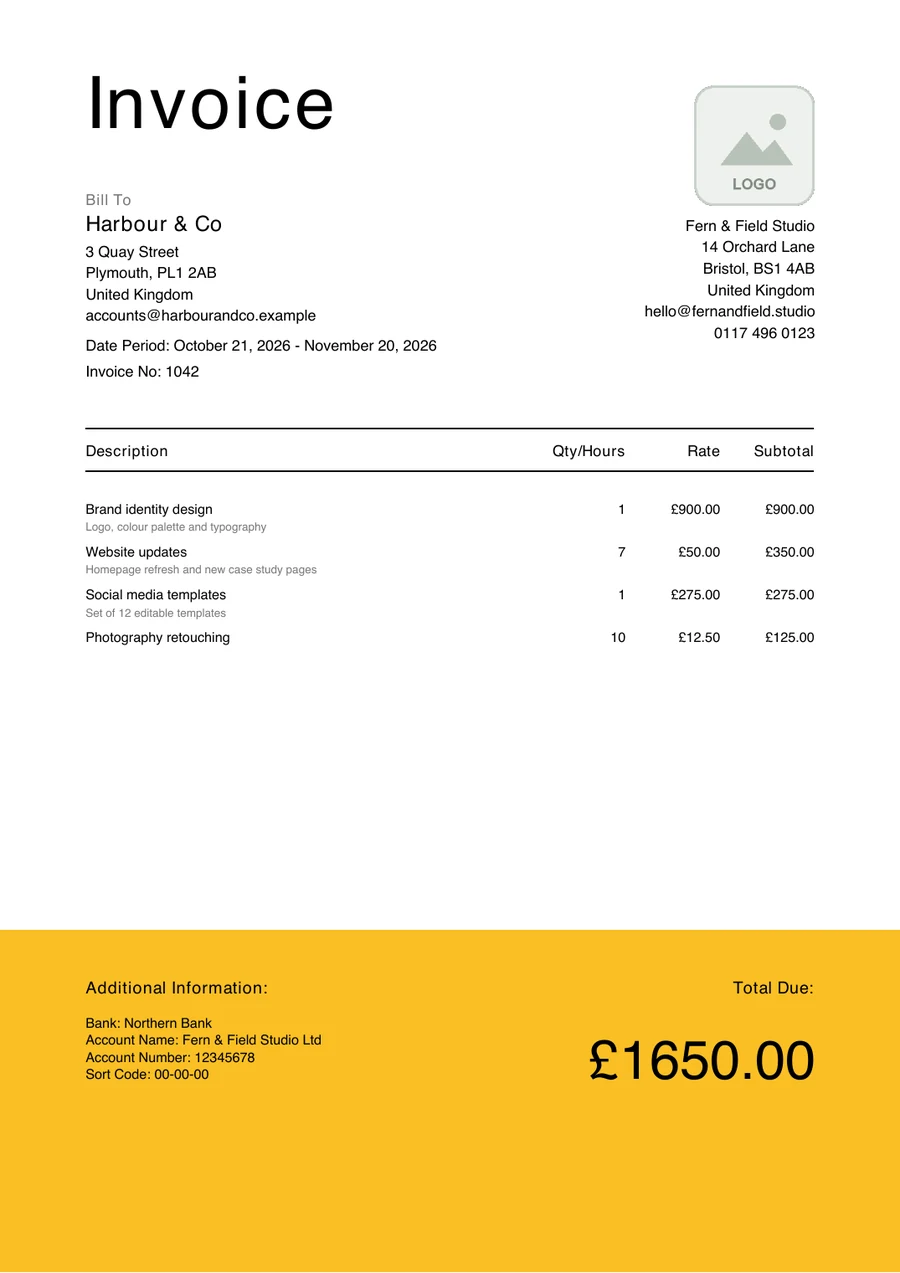
Minimalist Bold
A large heading, plenty of space and a bold colour band at the foot that holds the bank details and the total due. Ideal for designers and agencies.
Modern Coral
A warm header, quiet type and a coral accent, with the due date and total due set clearly in the footer. Great for consultants and tech companies.
Real invoices made with each template, using sample data.
12345Every field is yours to style
Each field on the invoice has its own font family, size, weight, colour, visibility and alignment, and you control the position, size and background of each component. There are 50+ fonts to choose from.
Here is a real invoice with a few of the things you can change marked on it.
- 1
The title. Font family, size, weight and colour are set per field, so a title can look nothing like a description.
- 2
Your logo. Each business keeps its own logo, used on every invoice PDF.
- 3
Column headings. Even the headings above the line items are fields: restyle them, align them or hide them.
- 4
The total. Make the figure you want noticed larger, bolder or in an accent colour.
- 5
Notes and footer. Notes carry your terms or a thank-you, and each business keeps its own custom footer text.
From blank page to PDF
- 01
Pick a starting point
Use Classic Professional, Minimalist Bold or Modern Coral, or start your own layout.
- 02
Style it with a live preview
Change fonts, colours, alignment and positions and watch the preview update.
- 03
Add your identity
Each business keeps its own logo, bank details and custom footer text.
- 04
Preview, then download
See exactly what your client will receive, then download the PDF.
Built for independent professionals
Designers
Restrained typography and one brand accent, so the invoice sits comfortably beside your portfolio.
Consultants
A traditional format with clear project descriptions and a plain, readable total.
Developers
Hourly work, grouped services and a straightforward total, without the clutter.
A finished PDF you can send from anywhere
Preview the invoice, then download a PDF in the preset template or your own. Nothing needs installing: Next Invoice runs in your browser.
- No watermark or footer added to the PDF
- Send or save it from the share sheet on a phone or tablet
- Keep the invoice number, due date and amount due easy to find
A real Minimalist Bold invoice (sample data).
Try the builder on the Free plan
The Free plan includes 5 invoices and 5 proposals a month and 1 business, with every template, the template builder and PDF download included. Premium, with unlimited invoices, proposals and businesses, is coming soon.
Frequently asked questions
Related reading
Can I use my own logo?
Yes. Each business keeps its own logo and custom footer text, which are used on every invoice PDF.
Can I change individual fonts and colours?
Yes. Every field has its own font family, size, weight, colour, visibility and alignment, and there are 50+ fonts to choose from.
Can I download invoices as PDFs?
Yes. Preview the invoice and download it as a PDF, with no watermark or footer.
Is the template builder included in the free plan?
Yes. Every template and the template builder are included in the Free plan, which currently allows 5 invoices a month.