
Clear, professional invoices for independent consultants
Consulting work is billed in different ways: by the day, by the hour, as a project fee or as a monthly retainer. Next Invoice lets you describe each one clearly and keep your client organisations and invoice status in one place.
A consulting invoice
| Description | Quantity | Rate | Amount |
|---|---|---|---|
| Strategy workshop | 2 days | £650 | £1,300 |
| Advisory retainer, November | 1 month | £1,200 | £1,200 |
| Research and analysis | 6 hours | £95 | £570 |
| Total | £3,070 |
Illustrative example of how consulting work can be described.
Fits the way consultants work
Day rates and hourly work
Label a quantity as days or hours and set your rate, with totals worked out as you type.
Monthly and retained work
Describe the period covered and the agreed service, so the client's finance team can match the invoice to the contract.
Client organisations
Keep full client profiles with their own invoice numbering options and a linked invoice history.
Status at a glance
Mark invoices Draft, Sent, Paid, Overdue or Cancelled and use the dashboard to see what is outstanding.
 123456
A layout your clients will take seriously
Start from the Classic Professional layout for a familiar format, or Modern Coral for a warmer one, then adjust fonts, colours and fields in the template builder. Add your logo and bank details and download a PDF.
Use the invoice notes for a purchase order number or payment instructions your client needs. Agree payment terms before the work begins and show a specific due date on every invoice.
- 1
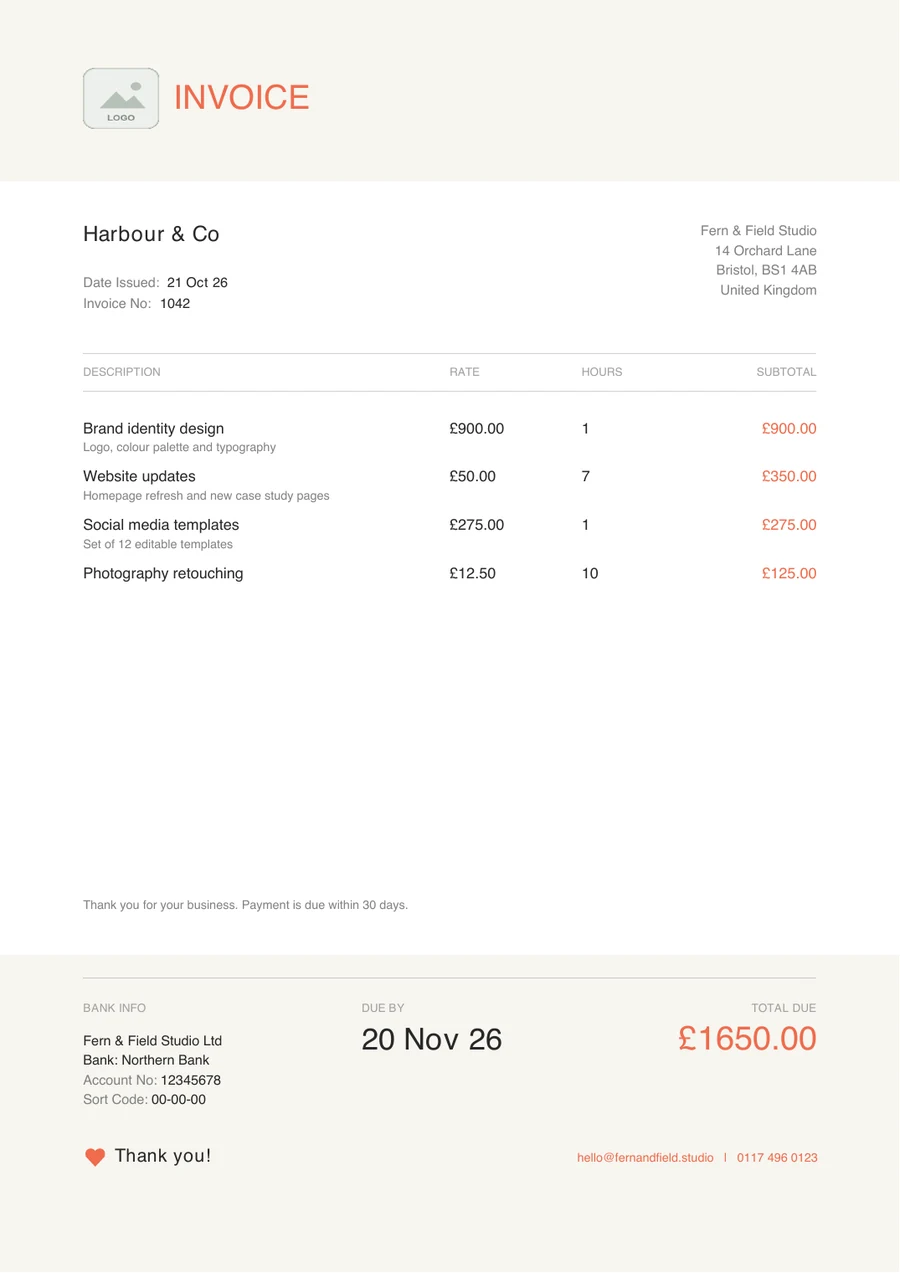
Logo and title. Your logo and a quiet title sit in their own band, apart from the detail below.
- 2
Client and reference. The client's name leads, with the issue date and invoice number underneath.
- 3
An accent on the amounts. The coral colour picks out the line totals while the descriptions stay neutral.
- 4
Bank details. Payment details are set in the footer, ready to copy.
- 5
A due date of its own. The due date has its own labelled slot, so it cannot be missed.
- 6
Total due. The amount due, in the accent colour, closes the page.
Describe each kind of engagement
Group strategy sessions and follow-up work under their own section headers, so a single invoice can cover a workshop, a retainer and some ad hoc analysis without becoming a jumble.
One invoice, three engagements
Workshops (day rate)
- Strategy workshop, 2 days
Retainer
- Monthly advisory, November
Ad hoc
- Research and analysis, 6 hours
Illustrative layout: line items grouped under section headers.
A monthly billing routine
- 01
Record the work
Keep notes against the agreed scope as you go.
- 02
Group it by engagement
Put each piece of work under the right section header.
- 03
Add the references
Put the due date and any purchase order number on the invoice.
- 04
Send and track
Download the PDF, send it, and update the status as you go. Next Invoice does not send reminders for you.
Free to start
The Free plan includes 5 invoices and 5 proposals a month and 1 business, with every template, the template builder and PDF download included. Premium, with unlimited invoices, proposals and businesses, is coming soon.
Frequently asked questions
Related reading
Can I bill by the day?
Yes. Quantity and rate labels are flexible, so you can use days, hours, units or a single fee.
Can I keep separate details for each client?
Yes. Each client has a full profile with invoice numbering options and a linked invoice history.
Does it send payment reminders?
No. You set each invoice's status yourself and contact your client yourself.